
DJI Osmo Action 6: The One Manual Exposure Setting That Turns Action Cam Footage Into Cinema
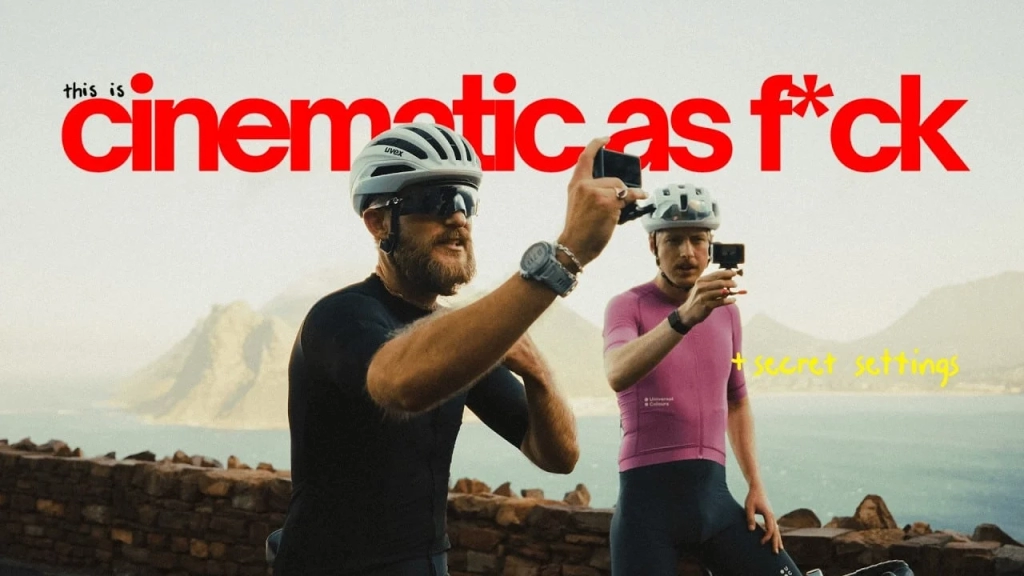 Photo credit: Gerrit Knein
Check out the Best Deals on Amazon for DJI Drones today!
Most DJI Osmo Action 6 owners press record, leave everything on auto, and wonder why their footage looks flat compared to what they see on YouTube. Cape Town-based cycling YouTuber Gerrit Knein just published a DJI-sponsored breakdown explaining exactly why, and the fix comes down to one exposure setting that most people never touch.
The answer is manual exposure with the 180-degree shutter rule. Set your shutter speed to double your frame rate (1/120 at 60 fps, or 1/50 at 24 fps) and your footage gains natural motion blur, which is what your eyes actually see in real life. That single change transforms choppy action cam clips into something that genuinely looks and feels cinematic. Knein filmed over 100 hours on the Action 6 before dialing in these settings, and the difference between auto and manual is stark.
You can watch the full video below.
The 180-degree shutter rule explained for action camera users
The 180-degree shutter rule is a filmmaking principle that dates back to the earliest days of cinema. It means your shutter speed should be set to double your frame rate, because this produces motion blur that closely matches how human eyes perceive movement. When you shoot at 60 fps with a 1/120 shutter speed, moving subjects get a natural blur trail that reads as smooth and lifelike. When the camera is set to auto, it cranks the shutter speed up to 1/500 or higher in bright conditions, freezing every frame into a sharp, digital-looking still. That is the difference between “this is a video” and footage that actually feels like what you experienced.
Knein’s preferred setup for the DJI Osmo Action 6 lands slightly above the strict 180-degree rule. He shoots at 4K 60 fps with a manual shutter speed of 1/200 and ISO 100. That slight bump above the theoretical 1/120 is intentional. Action cameras use digital stabilization rather than optical, and the software needs sharp edges to analyze and crop the image. Pure 1/120 at 60 fps can introduce micro-jitter because RockSteady struggles to find clean reference points in heavily motion-blurred frames. Bumping to 1/200 is a compromise that keeps the cinematic feel while giving the stabilization enough data to work cleanly.
Complete settings breakdown for cinematic cycling footage
Beyond the shutter speed, Knein has specific preferences for every setting on the Osmo Action 6. Here is the full list he runs while riding in Cape Town:
| Setting | Value |
|---|---|
| Resolution | 4K |
| Aspect Ratio | 4:3 |
| Frame Rate | 60 fps |
| Stabilization | RockSteady Standard |
| Color Profile | D-Log M |
| White Balance | Auto |
| Variable Aperture | Fixed at f/2.6 |
| Texture (Sharpness) | -2 |
| Noise Reduction | -2 |
| Exposure Mode | Manual |
| ISO | 100 |
| Shutter Speed | 1/200 |
He chooses the 4:3 aspect ratio over 16:9 even though the Action 6 now offers a 1:1 square mode. The 1/1.1-inch square CMOS sensor captures more vertical information in 4:3, which gives flexibility when cropping to 16:9 in post without losing the subject. RockSteady Standard handles the stabilization without introducing the fisheye distortion that wider modes produce.
D-Log M is the flat color profile that preserves the camera’s full 13.5 stops of dynamic range. Auto color modes bake in contrast and saturation that you can’t undo later. With D-Log M, a sunset ride through a tunnel doesn’t blow out the highlights or crush the shadows. You keep all the detail for color grading.
ND filters are required for manual exposure in bright conditions
There is an obvious problem with locking your shutter speed to 1/200 on a sunny day. At ISO 100 and f/2.6, the image is way too bright. Knein compares it to staring at the sun without sunglasses.
The fix is ND filters. He uses the official DJI ND filter set for the Osmo Action 6, which plugs over the lens and physically reduces the amount of light entering the sensor. In bright Cape Town sunlight, an ND16 or ND32 filter brings the exposure back into range while keeping that slow shutter speed. When conditions change, like riding into shade or approaching sunset, you just pull the filter off and continue shooting. The Action 6’s variable aperture (f/2.0 to f/4.0) helps with exposure management too, but Knein prefers to lock it at f/2.6 for consistent depth of field and use ND filters to handle the rest.
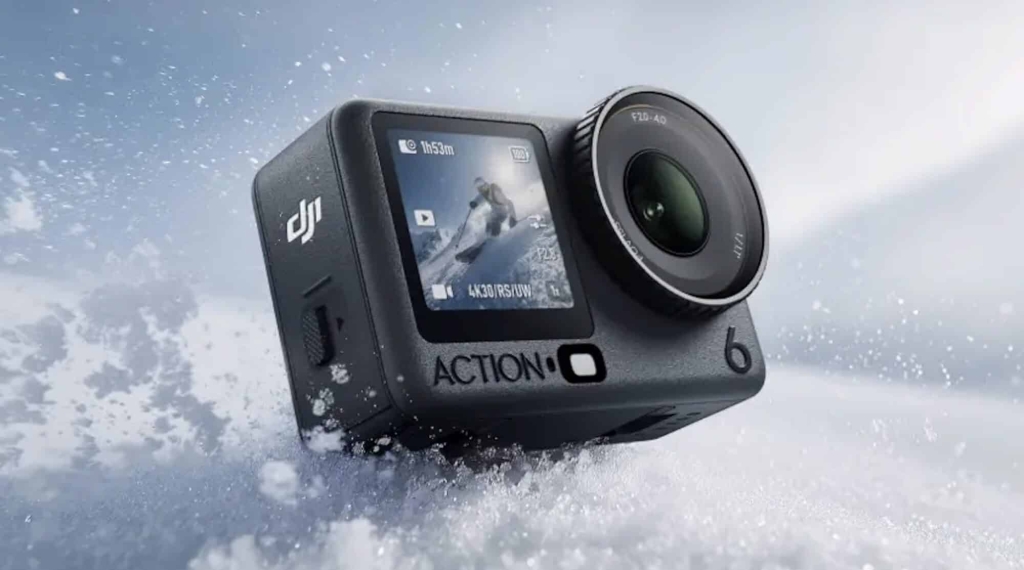 Photo credit: DJI
Mounting and audio setup for cycling content
Knein’s primary mounting solution is DJI’s magnetic mouth mount. The camera attaches magnetically to the mount, which he holds in his teeth. When not filming, the camera goes in the back pocket of his cycling jersey. Pull it out, bite the mount, start recording. For him, this is the most flexible approach since he can quickly point the camera at other riders or flip it around for vlogging.
He avoids using the mouth mount for POV footage because the angle tends to point too far down, showing mostly the cockpit and road. For actual POV shots, he switches to the DJI chest mount, which positions the camera lower on his torso. The magnetic quick-swap between mounts means the same camera body works for both setups without any tools or fiddling mid-ride.
Wind noise is the biggest audio problem when cycling. Even the Action 6’s improved internal microphones pick up heavy wind at riding speeds. His solution is the DJI Mic 3, connected via Bluetooth through the OsmoAudio system. He tucks the transmitter in his bib shorts under his jersey, which blocks most wind noise. The difference between internal microphone audio at 25 km/h and the Mic 3 tucked under a layer of fabric is dramatic. When he wants to hear other riders during group rides, he switches back to the internal mic.
Color grading turns D-Log M footage from flat to cinematic
D-Log M footage looks washed out and gray straight out of the camera. That is by design. The flat profile preserves information in the highlights and shadows, but it needs color grading to look good.
Knein offers two color grading paths depending on your comfort level.
The quick method is the DJI Mimo app. The most important step is converting the D-Log M footage back to Rec. 709, which instantly adds contrast and saturation. From there, you can apply built-in filters. Knein prefers the “Master” filter, followed by reducing highlights for a more filmic look. This approach works well for Instagram stories or quick social media posts. The downside is limited control over grain and fine color adjustments.
For maximum quality, he uses DaVinci Resolve with DJI’s official conversion LUTs. His node structure is simple: three nodes. Node one handles white balance correction if needed (though he says DJI’s auto white balance is mostly accurate). Node two applies the official DJI D-Log M to Rec. 709 conversion LUT, which you can download free from DJI’s website by searching “DJI Action 6 LUT.” Node three uses the Film Look Creator plugin to add a stylistic twist, grain, and exposure adjustments.
Rather than building complex 20-node color grading trees, he grades one clip per shooting day, then copies those settings across all clips from the same session with minor exposure tweaks. The Action 6’s 10-bit color and 13.5 stops of dynamic range give considerable room to push exposure in either direction without losing detail or introducing noise.
DroneXL’s Take
The 180-degree shutter rule is one of those fundamentals that separates people who use cameras from people who understand cameras. It is not new. It is not complicated. But it is the single biggest lever most action camera owners never pull, and this video does a good job of showing the before and after on the DJI Osmo Action 6 specifically.
What is particularly useful here is the acknowledgment that 1/200 at 60 fps is a better practical target than the theoretical 1/120. We covered Shawn’s recommended Action 6 settings back in December, and the stabilization-versus-motion-blur tradeoff is real. RockSteady’s digital cropping needs sharp reference points. Go too slow on the shutter and the stabilization introduces artifacts that are worse than the slight loss of motion blur from a faster shutter. Knein’s 1/200 compromise lines up with what we have been hearing from other users who shoot action sports.
The Action 6’s variable aperture helps here too, though Knein fixes it at f/2.6. That is a personal choice. The ability to stop down to f/4.0 in bright conditions means you can sometimes skip the ND filter entirely, which is one less thing to fumble with during a fast-paced ride. DJI clearly designed this camera for people who want manual control without the complexity of a full cinema rig.
This is a DJI-sponsored video, so take the enthusiasm with the appropriate grain of salt. But the underlying technique is sound and applies to any action camera, not just the Action 6.
Editorial Note: This article was researched and drafted with the assistance of AI to ensure technical accuracy and archive retrieval. All insights, industry analysis, and perspectives were provided exclusively by Haye Kesteloo and our other DroneXL authors, editors, and YouTube partners to ensure the “Human-First” perspective our readers expect.